
Private Screenshot Extension for Chrome: Zero Bytes Leave the Browser
How SociiLabs built Smox, a free screenshot and annotation tool that is ready to annotate in under 500 milliseconds and sends zero bytes of screenshot data to an external server.
Client · Smox · smox.app
About the project
01 Project overview
Engagement
Ongoing (SociiLabs' own product)
Delivery team
Senior SociiLabs engineers with a delivery lead
Core technologies
React, Chrome Extension APIs
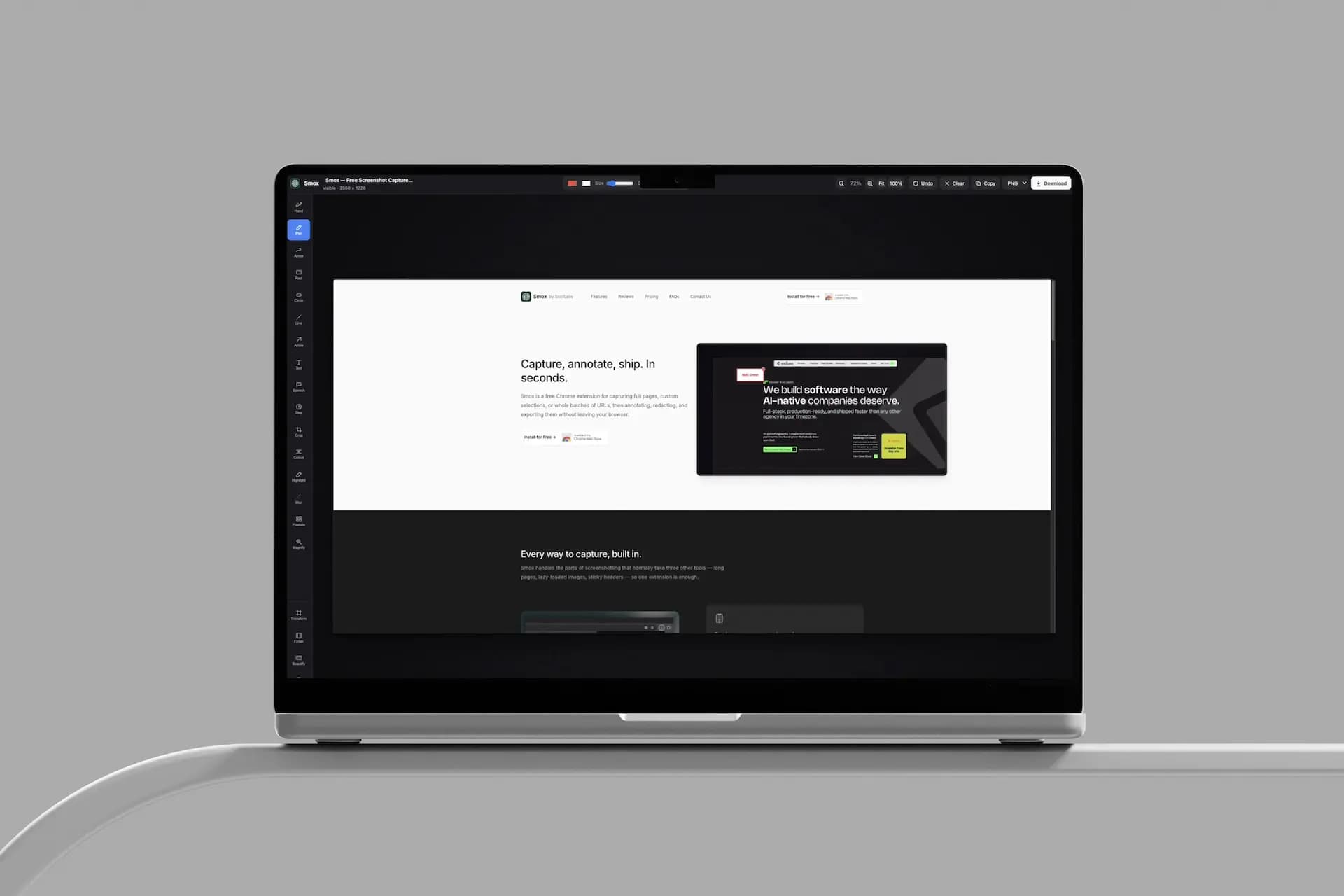
Smox is SociiLabs' own Chrome extension for capturing, annotating and sharing screenshots without anything leaving the browser.
We built it for a problem our own engineers hit every day. Client work means screenshots of staging builds, dashboards and unreleased features, and those images should not pass through a third party's servers. Smox is free on the Chrome Web Store and needs no account.
Everything Smox does happens on the device. It opens an annotation-ready canvas in under 500 ms, installs at under 200 KB, and sends zero bytes of screenshot data to external servers.
02 The challenge
Make capturing and marking up a screen instant, without sending a single pixel of client data off the device.
01
Screenshots carry sensitive data.
Developers and designers screenshot staging environments, client dashboards and pre-release features every day. Many capture tools upload each image to their own cloud so it can be shared by link. For anyone under an NDA, every upload is a disclosure risk.
02
Speed decides whether a tool gets used.
A screenshot is usually a passing thought, like showing a teammate the bug. If opening, selecting, annotating and exporting takes longer than that, people fall back to the system shortcut and a paint app. Every extra click costs adoption.
03
Full pages don't fit in one frame.
Long pages, sticky headers and lazy-loaded content make full-page capture hard inside a browser. The extension had to scroll, capture and stitch frames into one clean image, with no repeated headers or blank gaps.
04
Chrome extensions live under strict rules.
Manifest V3 limits background work, memory and permissions. Smox had to deliver a full annotation canvas while asking for the smallest permission set possible and staying under 200 KB installed.
Why SociiLabs
Built by the people who needed it most.
Our engineers screenshot client software every working day, so we wrote the brief from our own workflow. Capturing the screen was the easy part. The job also covered full-page stitching, a responsive annotation canvas, irreversible redaction, a minimal permission model and Chrome Web Store compliance. We built Smox the way we build client products, in one repository, with a senior engineer reviewing every line before merge.
What we built
03 Solution
The capture tool, and the local-only system underneath it. Capture, annotation, redaction and export all run inside the browser, with a permission model that asks only for the active tab.
Instant Capture
One click or a keyboard shortcut captures the visible area. The annotation canvas is ready in under 500 milliseconds.
Full-Page Stitching
Smox scrolls the page, captures each frame and stitches them into one image. Sticky headers are detected and drawn once.
Annotation Canvas
Arrows, boxes, text and highlights render on a lightweight canvas layer. Every mark stays editable until export.
Irreversible Redaction
The blur tool rewrites the underlying pixels, so a redacted value can't be recovered from the exported file. Blur sits in the same toolbar as the arrows and text, so hiding a token or a customer's email is part of the markup.
Local-Only Architecture
Images stay in browser memory, and preferences live in local storage. Smox runs entirely client-side, so users start capturing without creating an account.
Instant Export
Finished captures go straight to the clipboard or download as a PNG, ready to paste into Slack, Jira, Linear or email.
Architecture
System diagram
INSIDE A MANIFEST V3 BROWSER SANDBOX
Everything happens on the device. Nothing waits on a server.
Smox asks only for the activeTab permission, so it can read a page only when the user clicks to capture it. Images are held in memory, rendered on a local canvas and released after export. Redaction replaces pixel data before the PNG is written, which means a blurred field stays hidden even in the exported file. Smox sends zero bytes of screenshot data to external servers, so there is nothing on our side to breach, retain or delete. It needs no account, so a user's identity is never tied to what they capture.
Delivery timeline
Privacy model first. Then capture, markup and a free public release.
We settled the local-only model and permission scope before writing any capture code. Capture, annotation and blur were built on top of that boundary, and the public release went out free on the Chrome Web Store. Smox remains a live SociiLabs product.
PHASE 1
Design & Architecture
Define the local-only model, permission scope and canvas.
PHASE 2
Capture Engine
Visible-area and full-page capture, with sticky-header handling.
PHASE 3
Annotation & Redaction
Arrows, boxes, text, highlights and irreversible blur.
AT LAUNCH
Chrome Web Store Release
Free to install, no account, under 200 KB installed.
AFTER LAUNCH
Live and Local
Zero bytes of screenshot data sent to external servers.
HOW IT STAYED PRIVATE
Every capture stays where it was taken.
DATA HANDLING
The browser is the boundary.
Smox runs without a backend to store images. Captures live in memory until the user exports or closes them. Preferences are the only thing written to local storage.
PERMISSION DISCIPLINE
The smallest scope that works.
The extension requests activeTab and nothing broader. Any change to the manifest goes through the same senior review as the code, so a new permission can't slip into a release unnoticed. An update should never surprise a user with a new permission prompt.
RELEASE QUALITY
Every line is reviewed before it ships.
A senior engineer reviews every line before merge, across capture, stitching, annotation and export. Full-page capture is the riskiest path, so long pages, sticky headers and lazy-loaded content get the closest look in review.
SENIOR REVIEW BEFORE EVERY MERGE
Every PR
INSTALLED SIZE, CANVAS AND BLUR INCLUDED
< 200 KB
BYTES OF SCREENSHOT DATA SENT TO A SERVER
0
04 Impact & results
Impact & Results
Screens captured locally. Sensitive data redacted. Nothing uploaded.
- 0 bytes of screenshot data sent to an external server. Capture, annotation, blur and export all happen inside the browser.
- Free on the Chrome Web Store, with installs, ratings and reviews visible on the public listing. We don't quote an install figure here because the store always shows the current one.
- Under 500 ms from click to annotation-ready canvas. Capture and markup happen in one motion, without switching to a separate editor.
- Redaction that survives export. The blur tool rewrites the underlying pixels, so a hidden value can't be recovered from the PNG.
- Under 200 KB installed for the full extension, including the annotation canvas and blur tools.
- No account required. Users install Smox and capture their first screenshot straight away.
From click to annotation-ready canvas
< 500 ms
On the Chrome Web Store, no account needed
Free
Screenshot data sent to external servers
0 bytes
Your product roadmap is waiting on engineering. We ship it.
SociiLabs has shipped 10 projects in 2025–2026 and is rated 5.0 on Clutch. Senior engineers, fixed-scope sprints, and your repo, your cloud, your IP from the first commit.
Book a discovery call